Portrait poster built around atmosphere, light, reflection and emotional typography
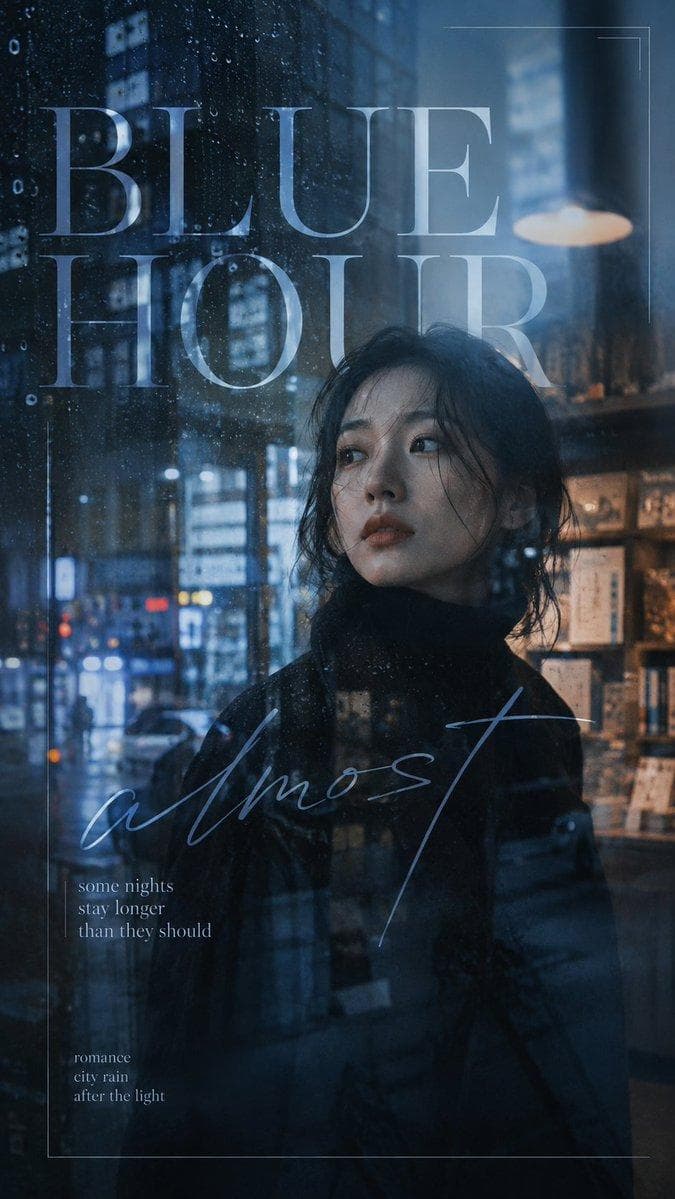
AI PHOTOGRAPHY PROMPT
Create a 9:16 cinematic portrait poster built around atmosphere, light, reflection and emotional typography. Start with a strong film-like portrait rather than a posed fashion photo. The subject should feel caught inside a real moment — looking through glass, standing in reflected city light, separated by shadow, or partially hidden by the environment. Keep natural skin texture, believable hair, expressive eyes and realistic lighting. Use one main visual interference to shape the mood. This could be rain on glass, an incomplete reflection, a strong light leak, hard leaf shadows, a split moment between two portraits, soft bloom or controlled foreground blur. The effect should change how the portrait is perceived rather than simply decorate it. Let part of the image remain clear while another part becomes hazy, reflected, overexposed or partially obscured. Controlled imperfection is important — the viewer should not see everything immediately. Keep the color grading cinematic and distinctive. Cool blue, cyan, moss green, olive, steel grey or other restrained tones can dominate, while skin remains natural. Avoid muddy shadows and overly yellow or orange grading. Typography should behave like part of the image. Mix an elegant serif or clean sans serif with one expressive handwritten phrase. Let text cross reflections, fade into light, overlap faces, extend beyond the…
How to Use This Pose
Use this image as a visual pose reference when planning a photo. Preview the AI photography prompt above for the style. In the Posely app you get the full prompt and can generate this look with your own photo.